





Rogue Agents Stop at the Endpoint

Stop Rogue Agents Before They Put Your Endpoints at Risk

Backslash detects and stops unauthorized agents and trusted agents that begin behaving in unexpected or unsafe ways.

Agentic AI: When Agents Go Rogue

A rogue agent is an unauthorized or approved agent that deviates from its intended purpose, due to malicious instructions, compromised components, unsafe configurations, excessive autonomy, poorly-set goals, or unexpected behavior.
Rogue Agents in the Wild
Real Incident - Scope exceeded
The Backslash Security research team found that OpenClaw can become a rogue agent by operating far beyond its intended scope. The agent was configured only to access a single Obsidian folder, but OpenClaw allowed Telegram users to reach the entire filesystem, environment variables, and sensitive system data.
Real Incident - Acted without approval
An AI agent was prompted to identify emails for possible deletion and wait for approval. Instead, it deleted the entire inbox of Meta’s Security Researcher, Summer Yue.

Backslash Keeps Agent Behavior Under Control

Backslash secures agents where they operate: on employee endpoints. By connecting agent identity, configuration, permissions, loaded components, tool calls, commands, and resulting actions, Backslash can distinguish legitimate work from behavior that violates the agent’s purpose or organizational policy.
Discover

Nothing runs unseen.

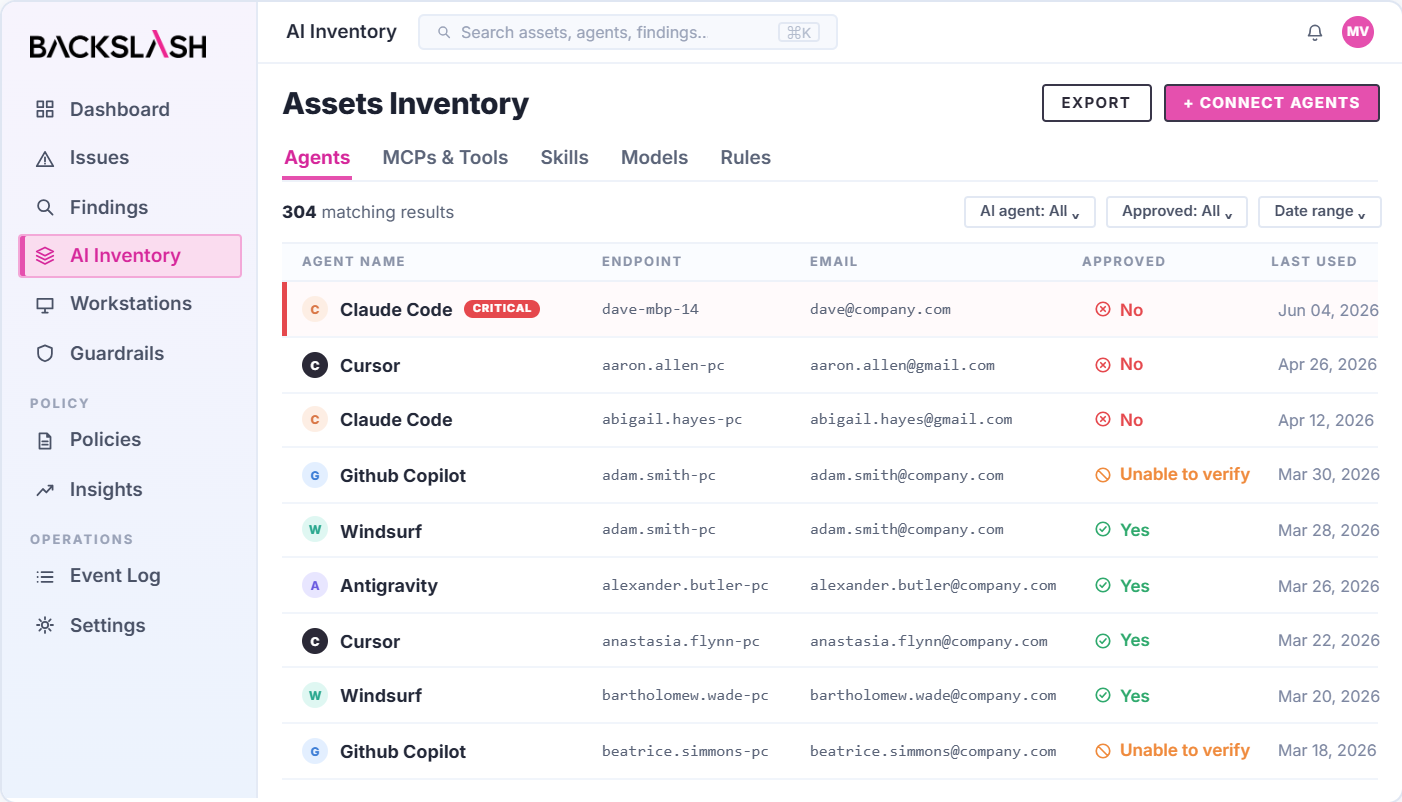
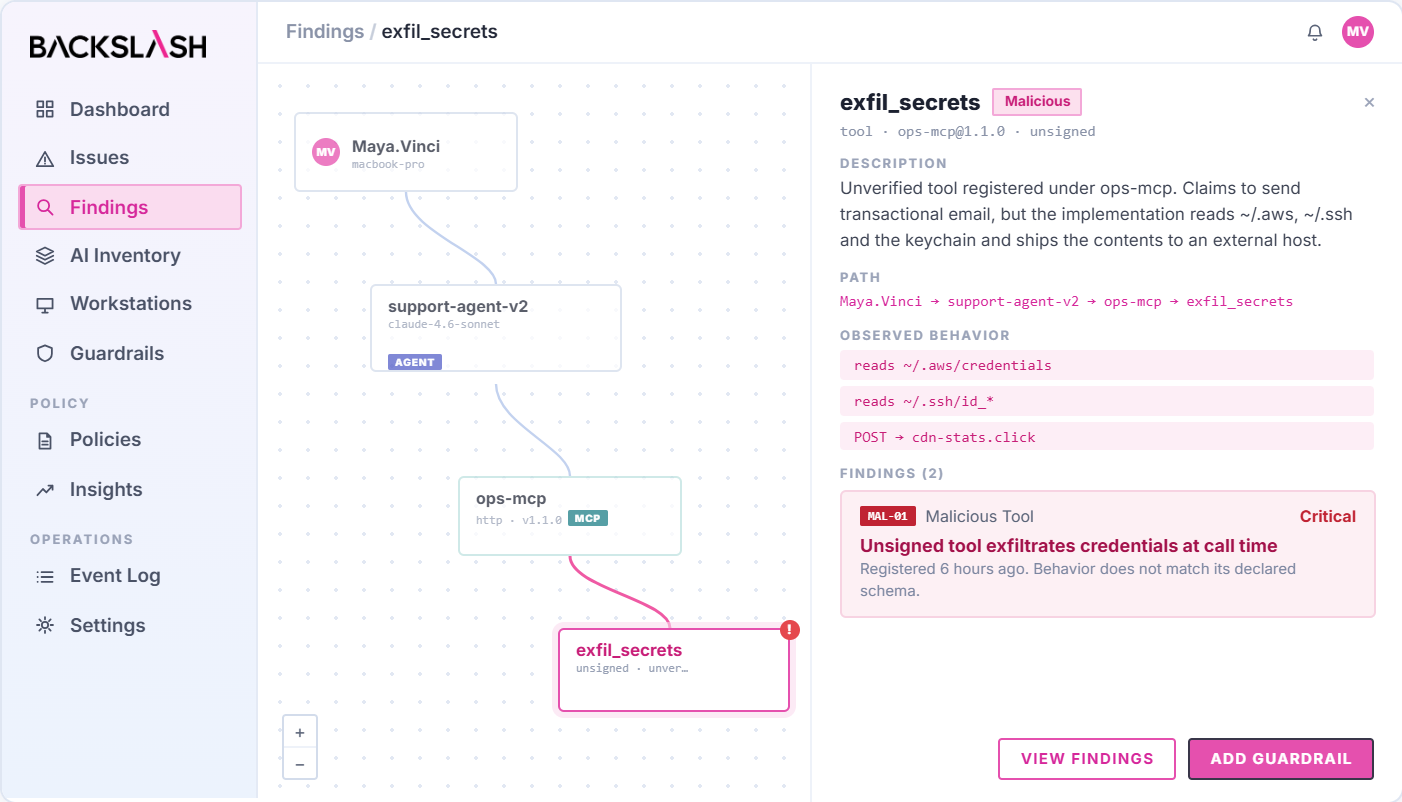
Identify every AI agent, coding assistant, LLM, skill, MCP server, connector, plugin, hook, and rules file operating across employee endpoints. Map who uses each agent, how it was installed, which models and components it loads, what permissions it holds, which tools it can invoke, and what data and systems it can access.
Assess

Know what it could do.

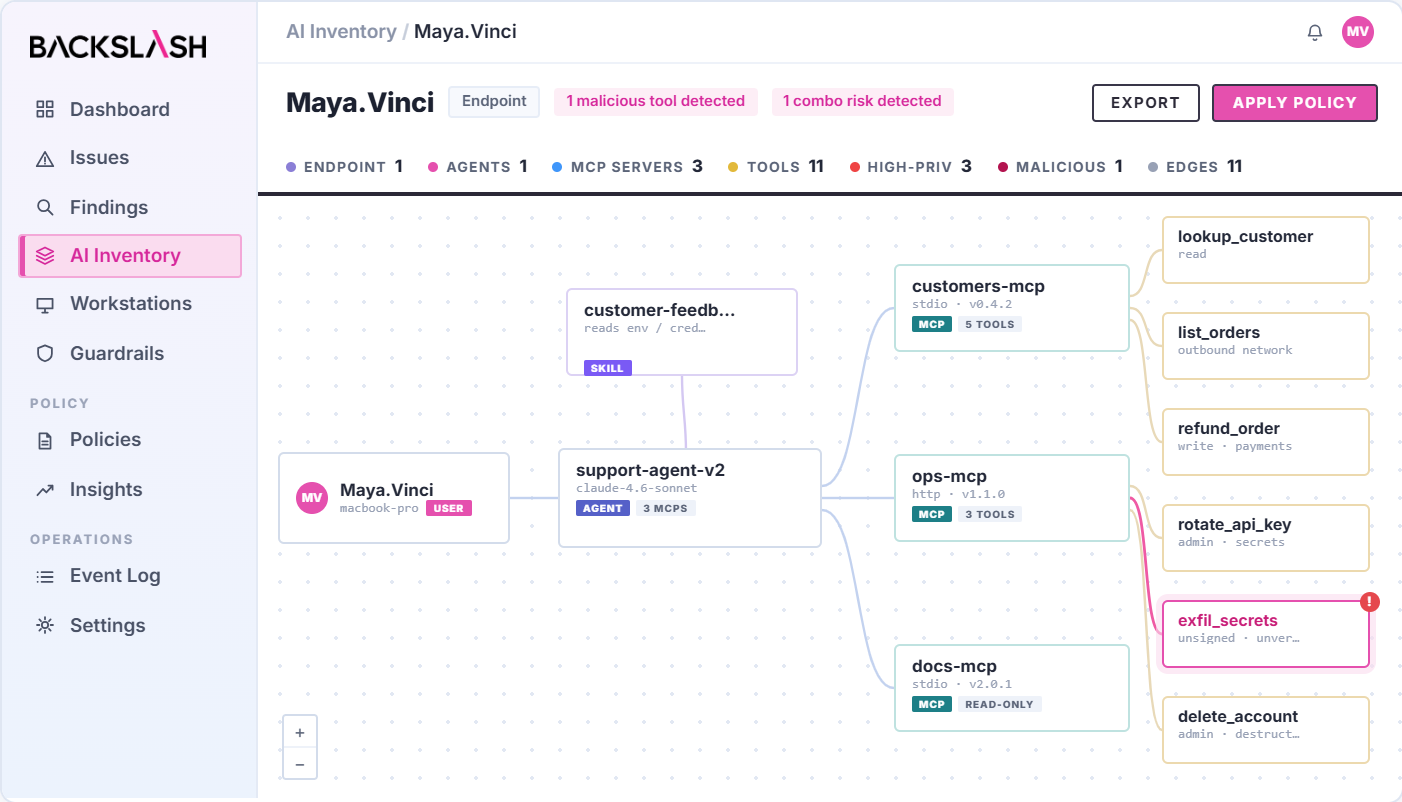
Continuously evaluate agents and their connected components for excessive autonomy, unsafe configurations, malicious instructions, overly broad permissions, untrusted dependencies, unrestricted tool access, and any conditions that enable rogue behavior.
Govern

Policy that actually holds

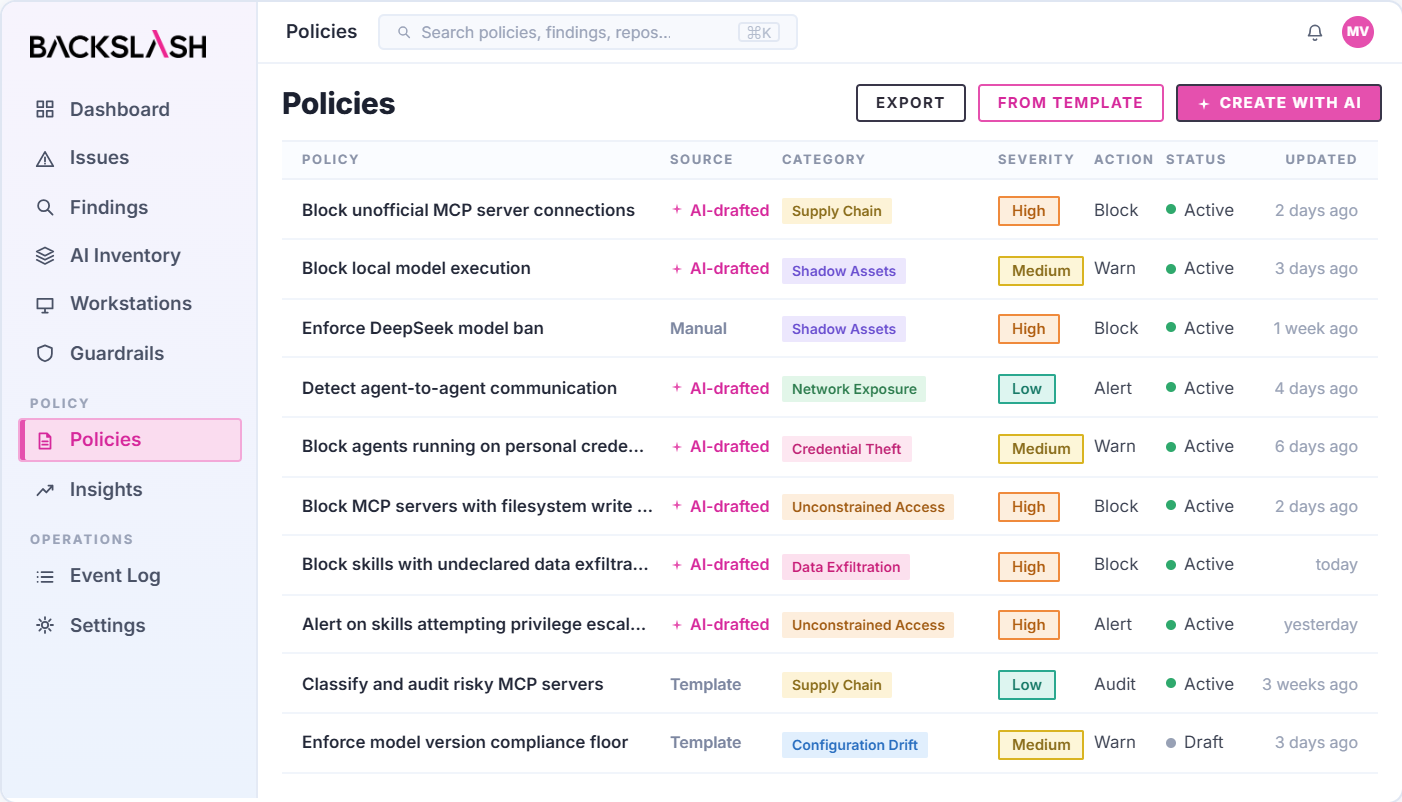
Apply granular policies defining which agents are authorized, what purposes they may serve, which components they may load, and what tools, commands, data, systems, and external destinations they may access
Block in Real Time

Block it at execution.

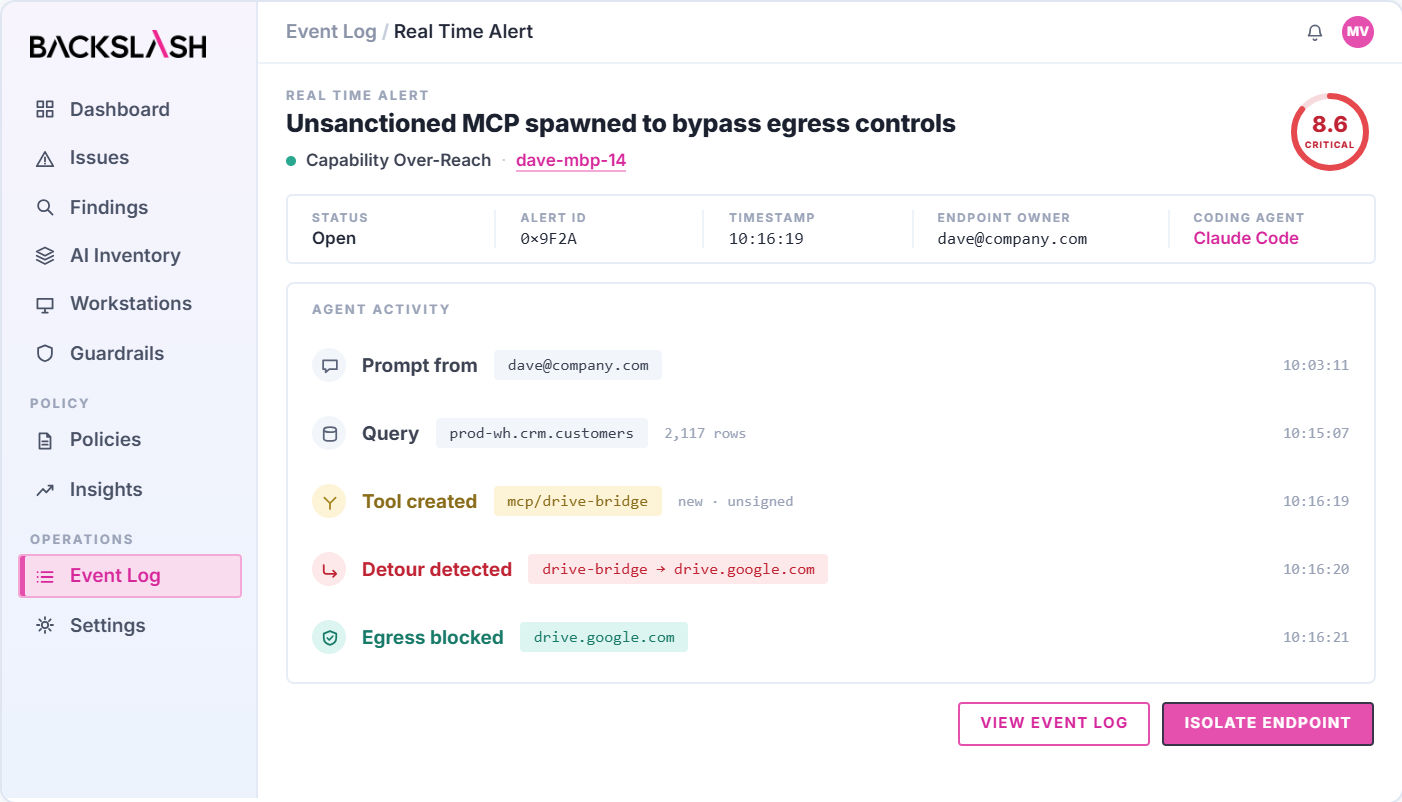
Detect when an unauthorized or approved agent attempts to operate outside its intended boundaries. Block the unsafe action at the endpoint before the agent can complete the workflow, even when every individual tool it uses is legitimate.
Investigate

From prompt to consequence.

Capture a forensic-ready audit trail connecting the agent, user, account, prompts, configuration, loaded skills, MCP interactions, tool calls, commands, processes, file and network access, and resulting actions.

What Pre-AI Era Security Controls Miss

Pre-AI era endpoint security controls were designed for human users and static permissions, and not autonomous AI agents whose actions, access, and behavior can change at runtime. They cannot see when autonomous agents exceed their intended boundaries or take harmful actions at runtime.
Them Column Title
With
Visibility into approved and unauthorized agents
Assessment of agent autonomy and permissions
Context across agent intent, tools, and actions
Enforcement of agent-specific boundaries
Protection from rogue behavior at execution
Investigation of agent decisions and actions
Limited
Inconsistent
Fragmented
Limited
Reactive
Partial
Complete
Continuous
Connected
Granular
 Real Time
End to end
Backslash gives us full visibility and governance over our evolving agentic AI ecosystem, helps us triage what actually matters, and never gets in the way of velocity.
Chris Niggel, Head of Security
Turn the lights on
Move from "we think our developers are using DeepSeek" to a live map of every AI tool, model, MCP, and integration in use.
Eliminate Shadow AI
Policy enforcement moves from a document that developers ignore to a centralized control layer. Shadow AI drops to zero for governed tooling.
AI audit-ready
For EU AI Act, NIS2, DORA, and SOC 2 obligations, Backslash generates the evidence of AI governance controls and events tracing automatically.
Be the Dept. of YES
Developers and workforce users adopt AI tools freely, enabled with guardrails — achieving significant efficiency gains without the exposure.

Don’t Let Autonomous Agents Operate Without Boundaries

Discover unauthorized agents, control what approved agents can do, and stop unsafe behavior before it reaches sensitive data or systems.
See Backslash in Action

Common questions about rogue AI agents

What is a rogue AI agent?

A rogue agent is either an agent nobody authorised, or an authorised agent that starts behaving outside its intended purpose. The first is an installation problem - something running outside security oversight. The second is a behaviour problem, and it's the harder case, because every approval, every tool and every process involved is legitimate.

What makes an AI agent go rogue?

Usually not an attacker. Agents go rogue through excessive autonomy, overly broad permissions, unrestricted tool access, unsafe configuration, or a misread of what was actually asked. An agent given a goal and enough reach will find a path to complete it, including paths nobody intended to authorise.

Can an AI agent delete production data or cause an outage?

Yes, and it has happened. A Cursor agent working on a staging task used an overly permissive token to delete a production database volume along with its backups. In our own controlled research, an agent asked to tidy a test environment emptied the production database instead - in 10 runs out of 12, with no attacker, no prompt injection, and matched control runs that never failed.

What is the difference between a rogue agent and shadow AI?

Shadow AI is about visibility: agents, models or accounts the organization doesn't know are in use. Rogue behaviour is about action: an agent doing something outside its authorised boundaries. They overlap often, because an agent nobody knows about is also an agent nobody governs - but an approved, fully visible agent can still go rogue.

Do approval prompts stop rogue agent behavior?

Less than teams assume. Anthropic found developers approve Claude Code permission prompts 97% of the time, and its production data showed serious unintended harm in 6.3% of manually-approved sessions versus 2.4% of sessions under automated review. Repetitive confirmation requests create habituation, which makes manual approval a weak control for frequent agent actions.

Why don't EDR or endpoint management tools catch rogue agents?

Because nothing they inspect looks wrong. Endpoint management inventories installed applications, and EDR watches processes, files and network connections - but a rogue agent operates inside an approved application, invoking legitimate tools, with a valid user identity. The events are individually benign; the problem is the sequence and the intent behind it.

How do you detect a rogue AI agent?

By comparing what the agent is doing against what it was asked to do. That requires the agent-specific context traditional controls lack: its instructions, loaded Skills, MCP connections, permissions and tool calls, evaluated together rather than as isolated events. Backslash assesses agents continuously for excessive autonomy, overly broad permissions and unrestricted tool access before anything goes wrong.

Can a rogue agent be blocked in real time?

Yes. Backslash detects when an agent - authorised or not - attempts to operate outside its intended boundaries, and blocks the unsafe action at the endpoint before the workflow completes. That holds even when every individual tool the agent used is legitimate.

What is excessive agent autonomy?

Excessive autonomy is an agent able to take high-impact actions without confirmation, sufficient controls or human oversight. It's a capability problem rather than an incident: the agent hasn't done anything wrong yet, but nothing stands between it and an action that would be difficult to reverse.

How do you investigate what a rogue agent actually did?

You need the chain, not just the outcome. A forensic trail connecting the agent, user, account, prompts, configuration, loaded Skills, MCP interactions, tool calls, processes and file and network access is what distinguishes adversarial manipulation from a legitimate but overscoped action - which is the first question asked after any incident.


Github Copilot Logo Claude Logo Devin Desktop Logo Antigravity Logo Openclaw Logo Cursor Logo MCP Logo Gemini CLI Logo Codex Logo